About
About photosizeincrease.com
photosizeincrease.com is a free browser tool that resizes any photo to an exact file size in KB, in either direction, without uploading it anywhere. This page explains who builds it, how the exact byte targeting works and why the site refuses to make the four claims that competing tools make.
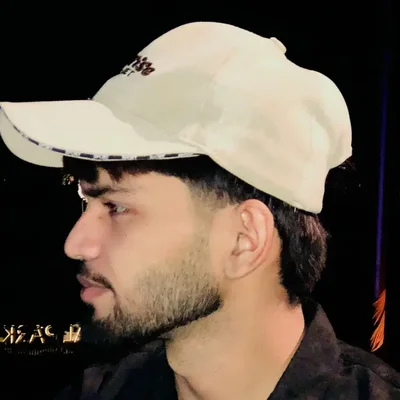 Written and maintained by Rizwan Aslam
Last updated
Why this site exists
Government and job application portals almost always set a file size limit. The photo has to be under 100 KB, or between 20 KB and 50 KB, or exactly under 200 KB. Your phone camera has no idea about any of that.
So the form rejects the photo. The deadline is close, the internet is slow, and most tools either overshoot the target or hand back something blurry.
This site does one thing properly. It lands on the exact number your form asked for, in either direction, without sending your photo anywhere.
How the tool hits the exact byte
Two steps, and the same code path runs whether the file needs to grow or shrink.
- Find the best quality that fits. The encoder is tried ten times in a binary search, keeping the largest result that still sits at or under your target.
- Pad the rest losslessly. The remaining bytes are added inside a part of the file that the format itself is built to skip over.
Padding sounds like a trick, but it is written into the file format specifications. Each format has its own place to put ignorable data.
| Format | Where the padding goes | Effect on the picture |
|---|---|---|
| JPG | A comment segment, split across several segments above 65,537 bytes | None |
| PNG | A text chunk with a real checksum, placed before the end marker | None |
| WebP | A padding chunk, with the file header size rewritten to match | None |
| AVIF | A free space box, which the specification says to ignore | None |
If you want to understand what is actually happening inside a JPG file while all this runs, the Wikipedia entry on JPEG is a good and neutral starting point.
Four things you will never read on this site
Most tools in this space say the same four things. All four are either untrue or unprovable, so we do not say them.
1. We do not claim to use AI
There is no model here. It is your browser canvas plus the image encoders that are already built into your browser. Calling that AI would be marketing, not description.
2. We do not promise zero quality loss
Making a file smaller than the picture needs will cost detail. That is physics, not a bug in any particular tool. What we do instead is show you the quality forecast before you press the button, so nothing is a surprise.
3. We do not say secure server processing
There is no server to secure. Some tools claim in one line that everything runs in your browser and in the next line that your files are deleted from their servers afterwards. Both cannot be true at once.
4. We do not publish exam size limits we have not verified
Three well known sites currently quote three different photo size ranges for the same exam. A wrong number here means a rejected application, so this site sends you to the official notification instead. The reasoning is set out on the disclaimer page.
Who runs this site
Rizwan Aslam. I build browser based tools for the web, and this one started because a family member kept getting a photo rejected by an exam portal at eleven at night.
I wrote the resizing engine on this site myself, including the quality search and the four format specific padding methods above. Every measurement quoted anywhere on the site came from testing real files, and where a result was disappointing it is published as it was measured.
Questions, bug reports and corrections are all welcome on the contact page. If you spot a number on this site that you believe is wrong, please tell me and I will check it and fix it.
What is being built next
The site is new and is growing one tool at a time, not all at once.
- Size pages for the targets people actually ask for, such as 20 KB, 50 KB, 100 KB, 200 KB and 1 MB
- A dimensions tool, because many forms check width and height in pixels as well as file size
- A signature tool that crops, cleans the background and hits a KB target in one pass
- A DPI converter for the 200 and 300 DPI requirements that forms keep asking for
- Plain guides that explain why forms reject photos, with no tool on the page and nothing to click
Frequently asked questions
Is photosizeincrease.com free to use?
Yes. Every tool on the site is free, there is no account, no sign up and no daily limit. The work happens on your own phone or computer, so there is no server cost to pass on to you.
Does my photo get uploaded to a server?
No. The image is read by your browser, resized by your browser and saved back to your device. You can confirm this yourself by opening the network tab in your browser tools and watching that no upload request is sent.
Who writes the content on this site?
Rizwan Aslam, who also built the resizing engine. Every number published on the site was measured on real image files first, not copied from another website.
Can the tool make a photo bigger in KB without changing the dimensions?
Yes. The file is padded with a lossless block that the image format is designed to ignore, so the file grows to the exact size you asked for while the picture itself stays untouched.